
Talking-head videos, in one take.
Turn any post into a script that scrolls with your voice while your camera records. When you stop, Radi8 burns in the captions and attaches the video to your post.
Works in your browser and in the Radi8 iPhone app.
Start with a post.
Any post can become a script: one you wrote, one Radi8 drafted in your voice, or one waiting in Drafts.
-
The thinking is already done
The post has your point and your words, so you're not staring into a camera wondering what to say.
-
Read it or watch it
The video goes out with the post, so people can read your idea or hear you say it.
 Generate a Post
Clients don't hire the best expert. They hire the one they remember.
I lost two deals last year to people I knew had less experience. The difference? They'd been in those buyers' feeds every week for a year.
So the job isn't only being good. It's being remembered.
264 / 3000 charsSet up the shot.
Open the teleprompter from the post, turn on your camera, and frame yourself.
-
Vertical or landscape
Vertical 9:16 for Instagram Reels, TikTok, and YouTube Shorts. Landscape 16:9 for LinkedIn and YouTube.
-
See yourself, or don't
Show yourself behind the script, in a corner, or not at all. The camera dims behind the words so they stay easy to read.
-
Your speed, your size
Set a reading speed and a text size to start. Nudge the speed with the arrow keys while you read, and it learns.
Make it spoken.
Writing to be read and writing to be said aren't the same. Pick a target length and Radi8 rewrites the post as a script that sounds like you talking.
-
Fits the time you picked
Choose 30 seconds, a minute, or a minute and a half. Radi8 shows how long your script runs and how far over it is, then rewrites it to fit.
-
Your caption stays sharp
The rewrite is for the script. The post people read keeps its wording.
-
Undo anytime
Prefer the original? Undo the rewrite and read it as written.
Your script runs about 0:36, roughly 15 words over your 0:30.
Clients don't hire the best expert. They hire the one they remember.
I've lost deals to people with less experience. Why? They showed up in those buyers' feeds every single week.
So don't just be good. Be remembered.
Read it, and you're done.
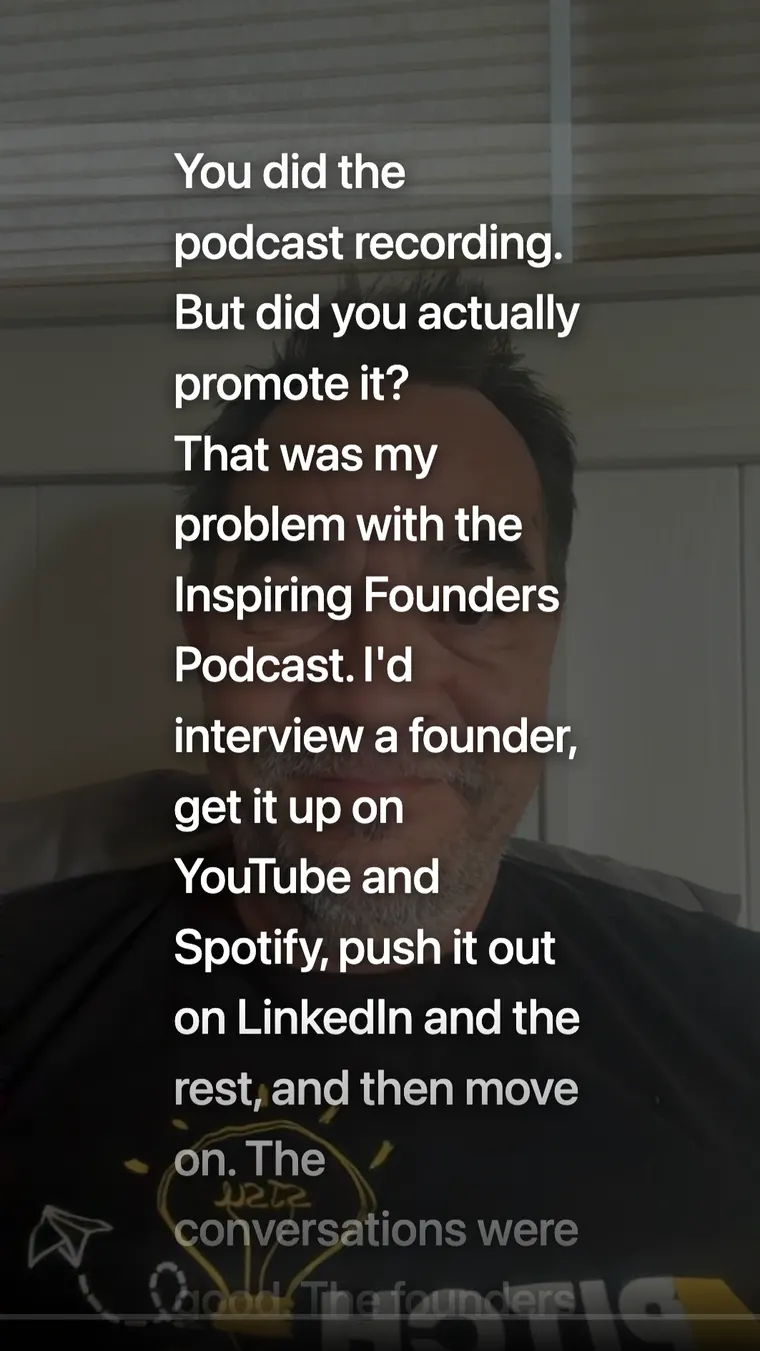
Hit record and read. When you stop, the video is ready to post.
It follows your voice
The script scrolls as you talk. Pause and it waits, so a stumble isn't a restart. Or switch on constant speed for a steady scroll.
A countdown, not a cutoff
A timer counts down to your target length while you record, and it won't stop you if you run over.
Captions and posting, handled
Radi8 burns in the captions and attaches the video to your post, ready to schedule.
"I'd edit, and edit, and edit, and end up throwing it away — there goes an hour of my time on something I wouldn't even publish. That's basically why I stopped doing reels. Being able to record on my phone is going to be a game changer — I can do it out on a hike. I'm going to be unstoppable creating reels."
Liz Greenfield, MS, APRN, IFMCPFunctional Wellness Practitioner
Pair it with what you already make.
The teleprompter turns a post into a video. Give it a good post and you get a good video.
Fission, then the teleprompter
- Run a talk, webinar, or interview through Fission.
- Draft a post from the idea you most want to land.
- Make it spoken and record a 30-second take to go with it.
Short-form video from a post
- Pick a post you're proud of, new or already in Drafts.
- Record it vertical, 9:16, in one take.
- Post it to Instagram Reels, TikTok, or YouTube Shorts with the captions burned in.
Questions about the teleprompter.
Do I need any special equipment?
No. Your laptop's camera works, and so does your iPhone in the Radi8 app. The recording stays on your computer until you choose to use it in a post.
What if I lose my place?
The script scrolls in time with your voice, so when you pause, it waits. Pick the line back up and it carries on. If you'd rather it move at a steady pace, switch on constant speed and set the reading speed yourself.
How long should my video be?
Pick a target of 30 seconds, a minute, or a minute and a half. Radi8 shows how long your script runs, and Make it spoken rewrites it to fit. A countdown runs while you record, but it won't cut you off.
Does it add captions?
Yes. When you stop recording, Radi8 burns the captions into the video and attaches it to your post.
Can I make Reels, TikToks, and YouTube Shorts with it?
Yes. Record in vertical 9:16 for Instagram Reels, TikTok, and YouTube Shorts, or landscape 16:9 for LinkedIn and YouTube. Which channels you can post to depends on your plan. See pricing.